PostCreator.inBusiness Post Creator
Made for your business. Made for your phone.

Create branded festival and business posts.

Choose a template, make it yours with your business name and logo, and add your message. Save your design, then export a photo to share.


Your name & logoText you can customizeSave, export & share
Try it here

A little preview. A post that’s yours.

Interactive sample
Edit postYour post is readyYour sample workspaceInteractive sample
Diwali lamps and festive sweets

Tap an item to edit. Drag to move · Pull a corner to resize.

Choose a sampleSquare canvas

Try a different look

Your branding is already in place.

Make it yours

Business name

Keyboard: select an item, then use arrow keys to move. Shift + arrows resizes it.

Find your starting point

Browse templates by category and occasion.

Bring your brand

Use your business name and profile logo.

Make it yours

Edit text, style your logo, and adjust the layout.

Keep it & share it

Save designs and export photos from the app.

Made for everyday posting

A template is just the start.

Give every post your business identity, your message, and your finishing touches.

Your business, on every design

Add your business name and logo to your profile. Templates with branding areas use those details, ready for you to adjust in the editor.

A familiar starting point for your next post

Your words. Your style.

Edit your business name or add your own text. Choose a font, color, size, and alignment, then drag and resize items to get the layout you want.

Undo, redo, and preview as you go

Find a design. Come back to it.

Explore categories and occasion collections, then save your customized posts. Open saved designs when you want to edit or share them again.

Festival greetings, business posts, and daily messages

Use the app in your language

Choose English, Hindi, Gujarati, Marathi, Bengali, or Punjabi in the app. Browse available designs and add your own message in the editor.

Choose your preferred app language in settings

Sample templates

A starting point for your next post

Explore festival greetings, café updates, retail designs, and daily messages. These samples show a few ways to get started.

Deepavali Shubh Kaamnayein

A festive greeting with warm lights and traditional sweets

Auto-BrandedSample design

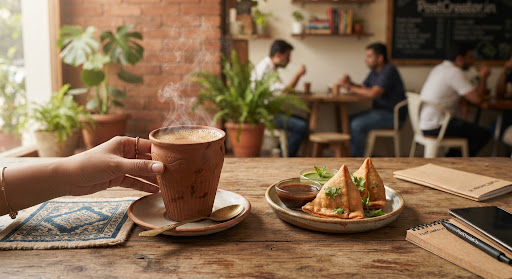
Chai Pe Charcha Specials

Evening snacks combo deal with kulhad chai aesthetic

Café updateSample design

Festive Ethnic Collection

A festive collection design for your next boutique update

Add your messageSample design

Prabhat Suvichar

Keep your business top of mind daily on customer feeds

Daily greetingSample design
From template to your next post

Choose it. Customize it. Share it.

A simple workflow you can follow from your phone.

1

Choose your template

Browse categories and occasions for a design that suits your business or the message you want to share.

2

Add your finishing touches

Use your profile name and logo, add text, and adjust the size, style, and position of your editable items.

3

Save, export, and share

Keep your design in Saved. Export it to your photo gallery or open your device’s share options for WhatsApp, Instagram, and more.

Want a step-by-step walkthrough? Read the 1-minute poster guide

Business use cases

What will your next post say?

A few ways to use PostCreator for everyday business communication.

Shops & local businesses

A festive hello from your shop

Choose an occasion template, add your shop’s branding, and make a greeting your customers will recognize.

Cafés & restaurants

A message from your café

Add your own text to a café design — a weekend special, opening hours, or a note for your regulars.

Boutiques & retail

A fresh update for your boutique

Start with a retail design, add a collection announcement, and save your customized post for sharing.

Your next post starts here

Make a post that feels like your business.

Find a template, add your branding, and bring your message to life with the PostCreator editor.

Customize and save in the app. Export with credits or Premium.
Credits & Premium

Choose how you export.

Customize and save your designs in the app. Use credits for individual saved designs or choose Premium for unlimited exports.

Export with credits

An export uses one credit to unlock a saved design. Export that same saved design again without another credit charge.

  • Check your balance in the app
  • Earn credits through referrals
  • Save a photo or use your device’s share options
View credits in the app

Go Premium

Export without spending credits while your Premium subscription is active.

  • Unlimited exports with active Premium
  • Monthly and yearly subscription options
  • View current pricing and purchase availability in the app
Explore Premium in the app

Subscription purchases are available through Google Play on supported Android devices. The app shows the current price and billing terms before purchase.

Frequently Asked Questions

How do I get started?
Open PostCreator, sign in, and set up your business profile. Add your business name and logo, then choose a template to customize.
What can I edit on a post?
Edit your business name, style your logo, and add custom text. Change text fonts, colors, sizes, and alignment. Move or resize editable items, and use undo, redo, and preview to check your layout. Template artwork remains part of the chosen design.
Can I save a design and edit it later?
Yes. Save your customized design in the app and return to it from Saved to edit or export it.
How do credits and Premium work?
Exporting a saved design uses one credit unless that design is already unlocked or you have active Premium. Premium provides unlimited exports with monthly and yearly options. View your balance, current pricing, and purchase availability in the app.
How can I share my post?
Use Export in the app to save a photo or open your device’s share options. Available sharing destinations depend on your device and installed apps.
Which app languages are supported?
English, Hindi, Gujarati, Marathi, Bengali, and Punjabi. The language setting changes the app interface; it does not automatically translate text in a template.
Will my demo edits appear in the app?
The website demo is a local sample. Its changes stay in this page until you reset or leave. Open the app to create, save, and export your own posts; sample edits are not transferred.

Privacy Policy

Read how PostCreator handles account information, business content, cookies, and app data, and how to manage your privacy choices.

Read the full Privacy Policy
Continue creating

Open PostCreator on your phone.

Use the app to choose a template, customize your business branding, and save and export your own designs.

Need help accessing the app? Contact support.